

salam..
entry nie tuk dilla jew ea..
org laen tutup mate x yah bace..
hohoho..
ko nk taw cane nk print screen kn??
meh ak wat tutorial sendiri..
hehehe=p
sblum 2 ko tgk la ko nk print screen page mane.. uke??
1. ko cari button Alt & Print Screen ( PrtSc, PrtScn)
x pown button dye cani..
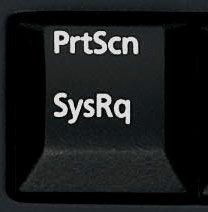
then ko tekan serentak button 2..
2. ko g kt paint.. da msuk kt paint ko cari edit then ko paste..
3. da kuar kn ap yg ko nk print screen 2 kan?? so pas 2 ko edit la mane yg patut ko nk blank kan.. ikut skew ko la nk cane pown..
4. da ciap smue 2 ko save as jew..
5. da ciap.. ko akn dpt wat print screen jgk cm ak.. weee(^_*)
x pown ko ikot jew yg nie..
ak x taw la ley kew x kt window 7 sbb ak nyew nie wndow xp..
ko try jew la k??
=p
To take a screen shot and save it as a picture
1. | Click the window you want to capture. Press ALT+PRINT SCREEN by holding down the ALT key and then pressing the PRINT SCREEN key. The PRINT SCREEN key is near the upper right corner of your keyboard. (Depending on the type of keyboard you have, the exact key names on your keyboard may vary slightly.) Note: You can take a screen shot of your entire desktop rather than just a single window by pressing the PRINT SCREEN key without holding down the ALT key. |
2. | Click Start, click Accessories, and then click Paint.  |
3. | In the Paint window, click Edit, and then click Paste.  |
4. | When the image appears in the Paint window, click File, and then click Save As.  |
5. | In the Save As dialog box, in the File name box, type a name for the screen shot, and then click Save.  |
You can now print or e-mail the saved screen shot just like you would any other picture.
if x ley halo2 ak balik ea..
bubye~~~


No comments:
Post a Comment